
Get in Touch
Email Us
info@smartlogics.inReach Out
+91-9760730500Find Us
Corporate Office
420, NH 58, Gayatri Garden Partapur Bypass,
Meerut, Uttar Pradesh, 250002 (India)
Sep 18, 2026
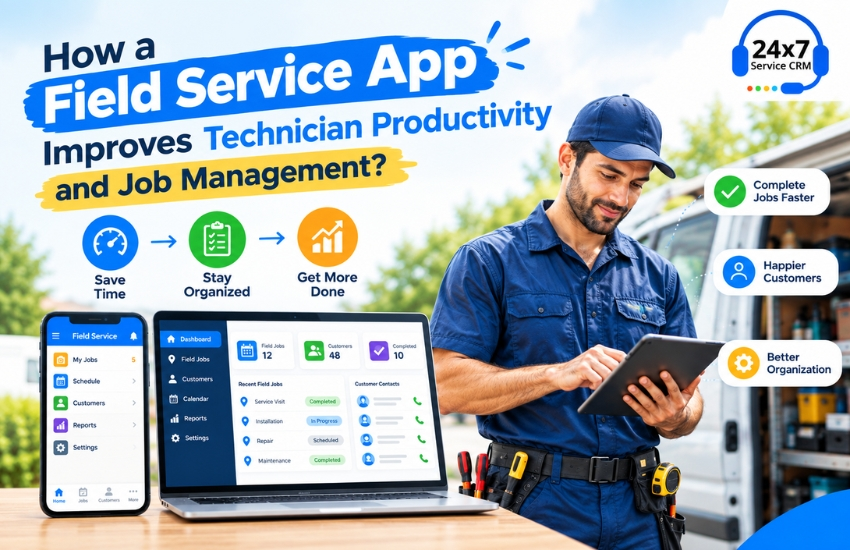
For service-based businesses, managing field technicians efficiently is essential for delivering timely and reliable customer service. Technicians may handle multiple service requests every day, travel to different locations, manage customer complaints, update job statuses, and submit service reports. When these activities are managed manually, businesses can face scheduling problems, communication gaps, delayed updates, and difficulty tracking completed work.
A Field Service App provides a practical way to organize these activities through a centralized digital platform. It connects office teams, field technicians, and customers while providing access to important job information from anywhere. When integrated with Service CRM, a Field Service App can help businesses manage customer records, service requests, technician assignments, schedules, job status, and service history in one system.
What Is a Field Service App?
A Field Service App is a mobile application designed to help businesses manage employees who work outside the office. Technicians can use the application to receive assigned jobs, view customer information, check service requirements, update job status, and submit service reports directly from their mobile devices.
Instead of depending on phone calls, WhatsApp messages, paper job sheets, or spreadsheets, businesses can maintain field-service information in a centralized system.
A typical Field Service App can include features such as:
- Technician job assignments
- Customer information
- Service request management
- Appointment scheduling
- Job status updates
- GPS and location information
- Service history
- Digital job reports
- Parts and material records
- Invoice information
- Notifications and reminders
- Technician performance reports
How a Field Service App Improves Technician Productivity?
Technician productivity depends not only on technical skills but also on how effectively jobs are assigned, communicated, and tracked. A Field Service App can reduce unnecessary administrative work and provide technicians with the information they need before and during a customer visit.
1. Quick Access to Job Information
Technicians need accurate information before visiting a customer. A Field Service Management App can provide details such as customer name, address, contact number, complaint description, equipment information, previous service history, and scheduled appointment.
Having these details available through a mobile device can reduce the need for technicians to repeatedly contact the office for basic information.
2. Better Job Assignment
Service managers can assign jobs to technicians through a centralized platform. Depending on the software, jobs can be allocated based on technician availability, location, workload, or service requirements.
This creates a more structured workflow and helps technicians understand which jobs they need to handle.
3. Real-Time Job Status Updates
A technician may change a job status from assigned to accepted, on the way, in progress, completed, or pending. These updates can be visible to authorized office users in real time.
This allows managers to understand the current status of field operations without repeatedly calling technicians for updates.
4. Reduced Paperwork
Paper-based service forms can take time to complete, organize, and store. With a Field Service App, technicians can enter service information digitally.
They may be able to record observations, add notes, upload photographs, capture customer signatures, and submit service reports directly from the mobile application.
This can reduce manual data entry and make service records easier to access later.
5. Easy Access to Customer Service History
Previous service information can be important when handling recurring complaints or maintenance requirements. A Service CRM can connect customer records with previous service jobs.
Before starting a job, technicians can review relevant service history and understand what work was previously performed. This can help them approach recurring service requests with better information.
How a Field Service App Improves Job Management?
Managing field jobs involves more than assigning technicians. Businesses also need to monitor schedules, customer requirements, job progress, service reports, and pending work.
A Field Service App can centralize these activities.
Centralized Service Requests
Customer complaints and service requests can be recorded in one system. Managers can then assign these requests to appropriate technicians and monitor their progress.
Appointment Scheduling
Businesses can organize technician schedules and customer appointments through digital scheduling tools. This makes it easier to identify available technicians and manage upcoming service visits.
Job Tracking
Managers can monitor pending, assigned, ongoing, and completed jobs from a centralized dashboard. This can provide greater visibility into daily field operations.
Digital Service Reports
After completing a job, technicians can submit service reports through the application. Information such as work performed, parts used, customer remarks, photographs, and completion details can be stored digitally.
Faster Communication
Instead of relying entirely on individual phone calls, job-related information can be shared through the CRM and the best Field Service App. This provides office staff and technicians with a common source of information.
Role of Service CRM in Field Service Management
A Service CRM combines customer relationship management with service and field operations. It can help businesses manage the complete service lifecycle, from receiving a complaint to assigning a technician and completing the job.
For example, when a customer raises a service request, the business can create a job in the CRM. The service manager can assign the job to a technician, who receives the relevant details through the mobile application. After visiting the customer, the technician can update the job status and submit the service report.
This creates a connected workflow between customer management and field operations.
Why Small Businesses Can Benefit from Service CRM Software?
Small businesses often have limited staff and resources. Managing a growing number of customers and field jobs through spreadsheets and manual records can become increasingly difficult.
Our Service CRM Software for Small Business can centralize customer information and service activities, helping worker manage their workload through a streamline structured process.
Important features for a small service business may include:
- Customer and lead management
- Complaint management
- Technician management
- Job scheduling
- Field service management
- Mobile application
- Service history
- AMC management
- Notifications
- Reports and dashboards
The objective should be to simplify business operations rather than introduce unnecessary complexity.
Choosing the Best CRM Software for Your Small Business
When evaluating the Best CRM Software For Small Business, companies should consider their actual service workflow and field requirements.
Look for software that provides:
Easy-to-use mobile application: Technicians should be able to access and update jobs without complicated procedures.
Job Management: The system should support job creation, assignment, scheduling, tracking, and completion.
Customer Management: Customer details and service history should be available from a centralized database.
Scalability: The software should support business growth, including additional customers, technicians, and service locations.
Reports and Analytics: Managers should be able to monitor job completion, pending complaints, technician activity, and other relevant metrics.
Customization: Different service industries have different workflows, so customization can be valuable.
Industries That Can Use Field Service Apps
Field Service Apps can support many businesses where technicians regularly visit customer locations. Examples include:
- RO and water purifier service
- HVAC repair and maintenance
- Electrical equipment service
- Appliance repair
- Solar installation and maintenance
- Medical equipment service
- Elevator maintenance
- Industrial equipment repair
- IT and computer service
- Machinery maintenance
Each industry can configure its service workflow according to its specific requirements.
Conclusion
A Field Service App can help businesses create a more organized process for managing technicians and service jobs. By providing mobile access to job details, customer information, schedules, service history, and digital reports, it can reduce manual coordination and improve visibility across field operations.
When combined with Service CRM, businesses can connect customer management with field service activities through a centralized platform. For small service companies, CRM Software for Small Business can provide the tools needed to manage customers, complaints, technicians, appointments, and service jobs more efficiently.
Before selecting the Best FSM Software For Small Business, businesses should evaluate ease of use, mobile functionality, job management, customization, reporting, scalability, and support. Choosing a solution that matches the company's actual workflow can help create a more structured and connected field-service operation.

Let's build an
amazing project
Drop Us A Line
Why Choose SMART Logics?

14+ Year
Experience

Committed
to Quality

We’re
Affordable

Customize to
your Needs

Unconditional
Support

Satisfaction
Guaranteed

One Stop
Services

Dedicated
developers

Handle Tight
Deadlines
Let's Get Started Now!
Please fill out the quick form and we will be in touch with you at lightning speed.
SERVICES
PRODUCTS
COMPANY
Connect
SMARTLOGICS SERVICES PRIVATE LIMITED
Support
© Smartlogics Services Pvt. Ltd., 2025. All Rights Reserved.

